 Antigravity
 OpenCode
 Claude Code
 Codex
 DeepSeek
Codex for Android
Standalone OpenAI Codex (v26.51111 + CLI 0.169.0) agentic IDE and native ARM64 Android APK (com.ce.ide). Pairs static ARM64 codex.elf + codex-code-mode-host with an O(1) webview-bundle.pak archive, inline mobile workspace switcher, ce-box Bionic userspace, and live hot-reloading ARM64 MCP servers.
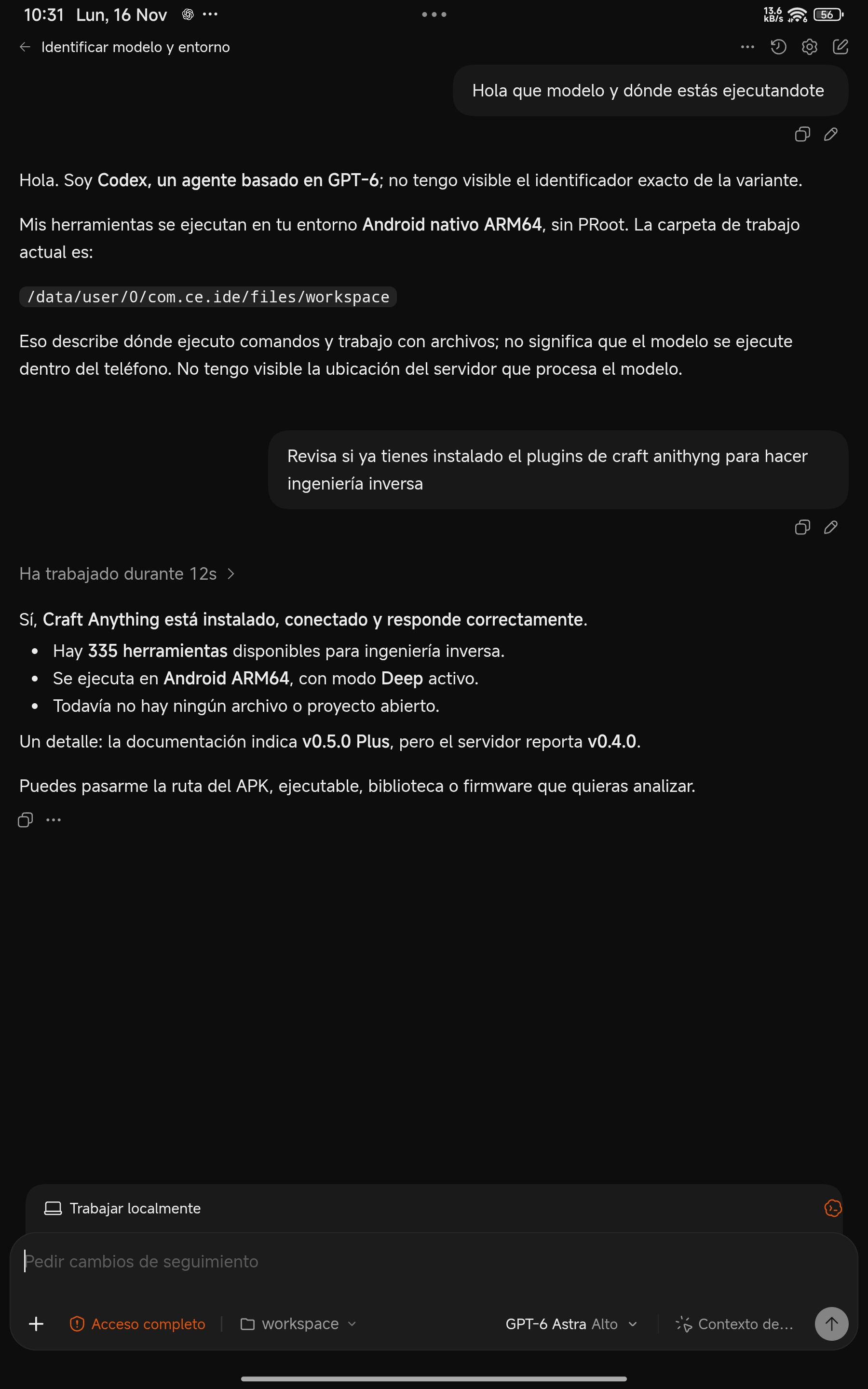
Live GPT-6 Astra session on Android ARM64 invoking Craft Anything's 335 Rust binary tools via Code Mode.
Static ARM64 Code Mode & O(1) bundle architecture
Executes directly via Linux kernel execve() inside a 10-byte prefix-aligned Bionic userspace (/data/user/0/com.ce.ide/files/usr) with zero PRoot, zero Electron, and zero 15k-file extraction delays.
| Subsystem | Codex for Android (by Yhoanes) | Desktop Electron / PRoot Ports |
|---|---|---|
| Asset delivery | O(1) byte-indexed webview-bundle.pak serving all 15,350 modules in < 2 ms |
Slow 15,000+ inode extraction on mobile flash filesystems |
| GPT-6 Code Mode | Static ARM64 codex.elf + codex-code-mode-host invoking MCP over grpc+stdio:// in ~30 ms |
Fails on unrooted Android namespace/socket sandboxes |
| Mobile workspace UX | Inline composer bar pill (+ ! Full access | workspace) with SAF directory picker & keyboard tracking |
Desktop window dialogs hidden off-screen on mobile viewports |
| Loopback security | 256-bit CE_AUTH_TOKEN + HMAC-SHA256 health nonce + strict 403 secret confinement |
Unauthenticated localhost sockets |
| MCP hot-reload | 1-tap install in Codex Settings → MCP Servers + live config/mcpServer/reload |
Manual TOML editing and process restarts |
Core engineering pillars
Compiles in ~40 seconds via a self-contained 11-phase Gradle-free build pipeline directly on Android ARM64 or Linux.
Official OpenAI Codex UI & GPT-6 lineup
Sign in with ChatGPT Subscription, GitHub Copilot, or API Key and switch across GPT-6.1 Sol, GPT-6 Astra, GPT-6.1 Terra, GPT-6 Sol, GPT-6 Luna, and GPT-5.6 with diff viewer and multi-thread history.
~30 ms Code Mode MCP orchestration
Bundles static aarch64-unknown-linux-musl engines so GPT-6 executes JavaScript orchestration cells directly against compiled ARM64 Rust MCP servers.
10-byte Bionic userspace (ce-box)
Exact prefix parity (com.ce.ide == com.termux) powers native pkg installation and direct kernel execution of clang, rust, python, nodejs, git, and ghidra.
RSA-4096 verified GitHub Releases OTA
AppUpdateManager checks Yhoanes/codex-android Releases, verifies the production RSA-4096 SHA-256 signing certificate, and upgrades seamlessly via Shizuku or Android PackageInstaller.
Real device walkthrough
Captured directly on Android ARM64 hardware running com.ce.ide on loopback port 45197.
GPT-6 Astra executing native ARM64 Code Mode MCP calls directly against local Android storage.
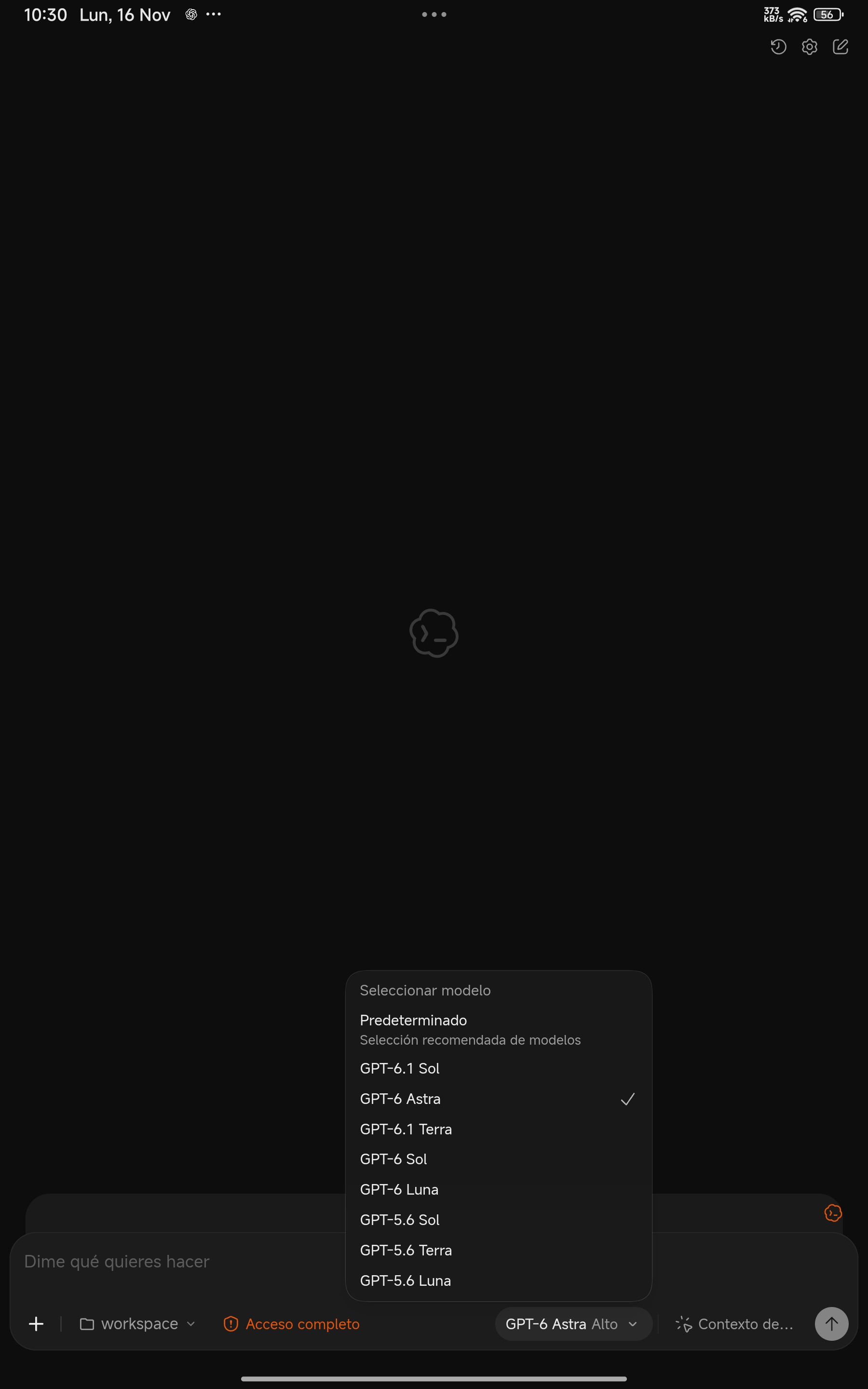
GPT-6 model selector and inline composer workspace pill with Android SAF integration.
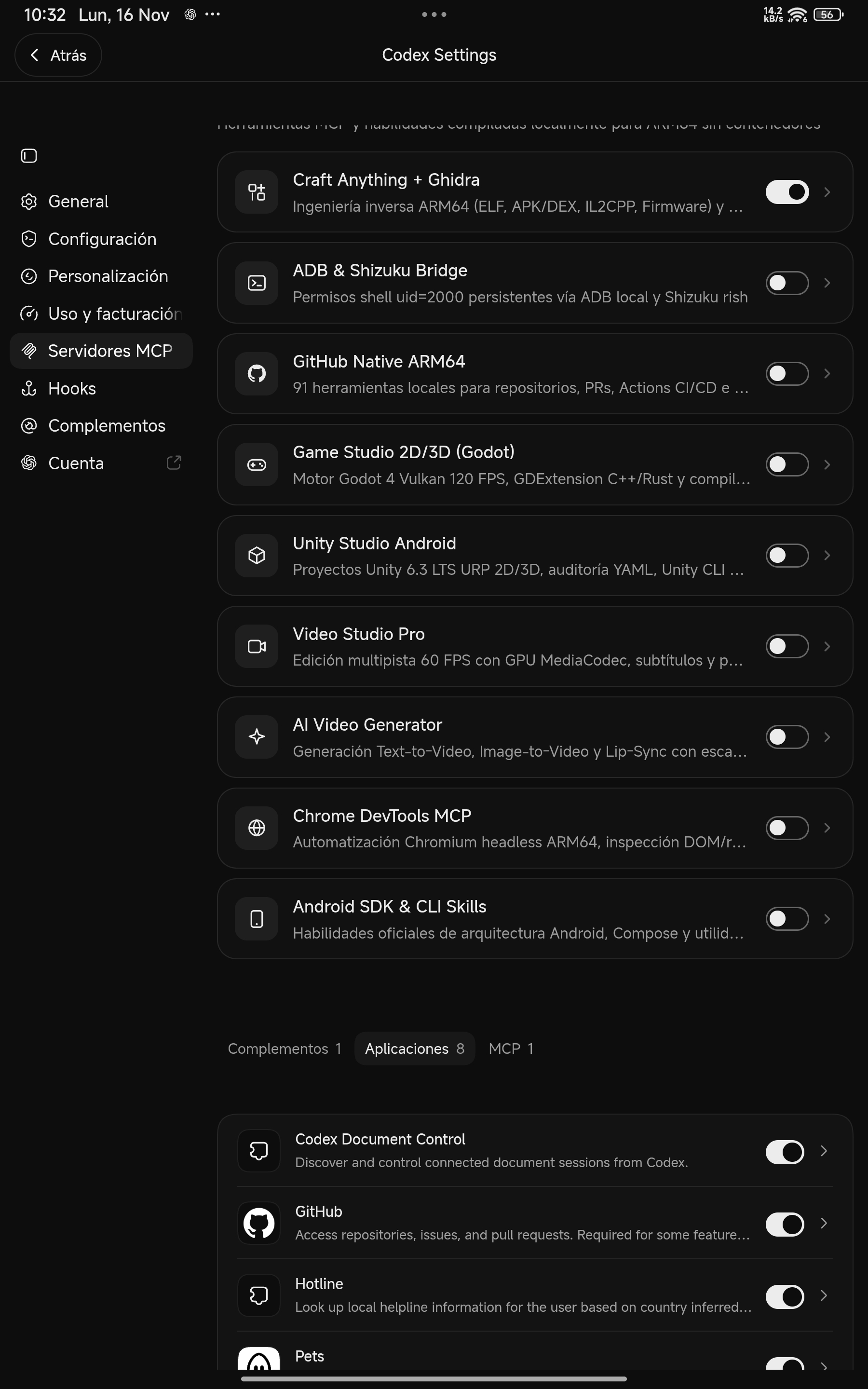
1-tap native ARM64 MCP Servers catalog inside Codex Settings with instant session reload.
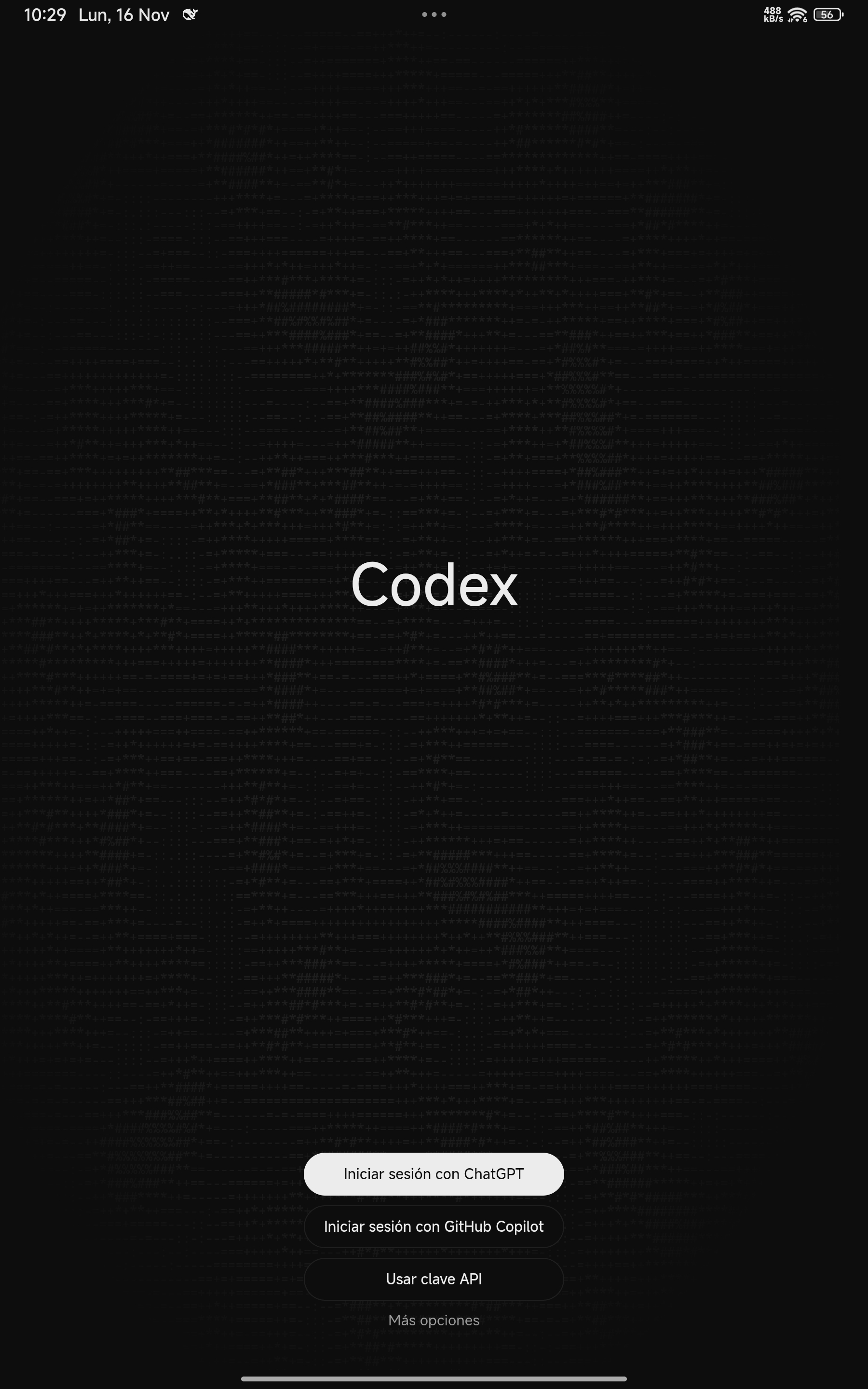
Clean official OpenAI Codex onboarding supporting ChatGPT, GitHub Copilot, and API keys.
1-tap ARM64 MCP servers catalog
Configured automatically into ~/.codex/config.toml with live config/mcpServer/reload hot-reloading.
| MCP Server | Version | Capabilities on Android ARM64 |
|---|---|---|
| Craft Anything + Ghidra | v0.5.0 |
335 native Rust MCP tools (< 50 MB RAM) for ELF/PE/Mach-O, APK/DEX, .NET/NativeAOT, WASM, ESP32/UF2, Godot .pck, Unity IL2CPP & Wii .dol + native ARM64 Ghidra 12.1.4 |
| ADB & Shizuku Bridge | v1.0.1 |
Standalone native Rust wireless ADB 6-digit pairing (127.0.0.1:5555 offline TCP — no PC required), zero-polling mDNS & 2s MIUI-safe Shizuku fallback |
| GitHub Native ARM64 | v2.1.1 |
91 native ARM64 GitHub tools (repos, PRs, code reviews, Issues, Actions CI/CD logs, security alerts) + Bionic Git/GH OAuth setup |
| Game Studio 2D/3D & Unity Studio | v2.0 / v1.0 |
Godot 4 Vulkan + ARM64 C++/Rust GDExtension + local offline .apk builder, plus Unity 6.3 LTS URP + ported official unity-cli v1.0.0 |
| Video Studio Pro & AI Video Gen | v4.0 / v1.0 |
60 FPS h264_mediacodec GPU editor + rootless CapCut timeline export + native Rust Text/Image-to-Video & Lip-Sync diffusion engine |
| Chrome DevTools & Android SDK | v1.10.4+ |
Headless native ARM64 Chromium CDP automation + official Android architecture, Jetpack Compose & on-device logcat/dumpsys skills |
Frequently asked questions
Does Codex for Android require Root, Termux, or PRoot?
No. Codex for Android runs directly on Android ARM64 inside its own standalone sandbox (com.ce.ide) using static ARM64 binaries and a 10-byte prefix-aligned Bionic userspace with zero PRoot overhead.
Why does Codex launch instantaneously despite having 15,350 webview files?
All 15,350 webview modules are packed into a single byte-indexed archive (webview-bundle.pak), avoiding tens of thousands of filesystem metadata syscalls on mobile UFS flash and serving assets in under 2 ms.
Can I install side-by-side Release and Dev builds?
Yes. ./build.sh produces com.ce.ide (port 45197), while ./build.sh --dev produces an isolated side-by-side com.ce.dev APK (port 45198).