 Antigravity
 OpenCode
 Claude Code
 Codex
 DeepSeek
Claude Code for Android
Standalone Anthropic Claude Code (v2.1.325) Full-Editor autonomous coding IDE and native ARM64 Android APK (com.cc.ide). Pairs native ARM64 claude.elf + Bionic Node Extension Host with hardware-backed AndroidKeyStore AES-256-GCM credential security, docked PTY terminal, native voice dictation, and a 1-tap ARM64 MCP Plugins & Skills Hub.
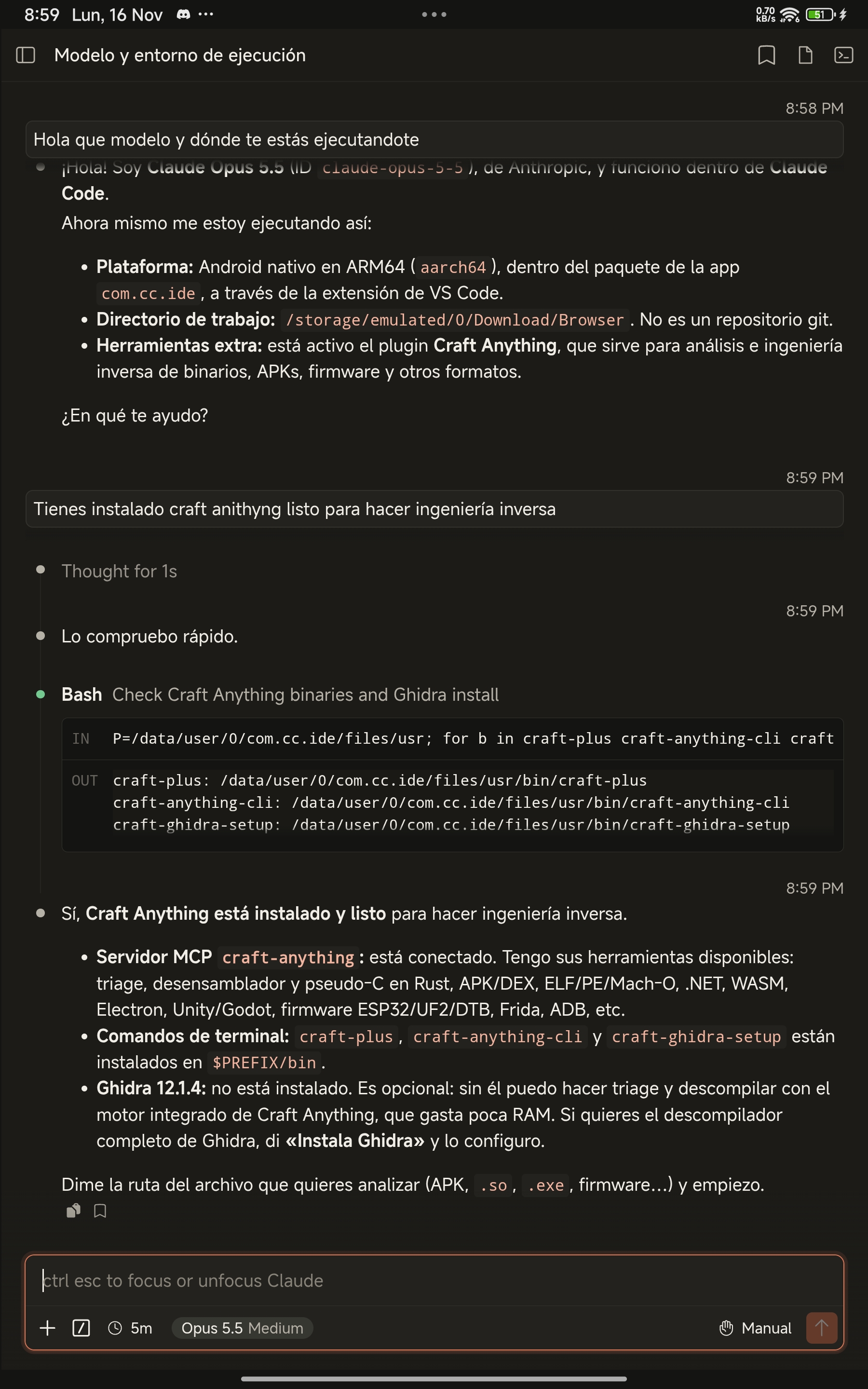
Authentic Claude Code Full-Editor UI (warm Claude Dark & Light themes) running natively on Android ARM64.
Capability-hardened native ARM64 architecture
Executes Anthropic's unmodified Full-Editor extension protocol against a native ARM64 claude.elf engine and a 10-byte prefix-aligned Bionic Linux userspace (/data/user/0/com.cc.ide/files/usr) powered by Rust cc-box.
| Subsystem | Claude Code for Android (by Yhoanes) | CLI-in-PRoot / SSH Wrappers |
|---|---|---|
| Interface & UX | 100% official Claude Code Full-Editor UI (IS_FULL_EDITOR = true): thinking blocks, plan/auto modes, rich file diffs, bookmarks & slash commands |
Raw terminal scrollback with cramped mobile keyboard handling |
| Credential security | AndroidKeyStore AES-256-GCM (SecretStore) + per-boot 256-bit HttpOnly; SameSite=Strict CC_HOST_TOKEN |
Plaintext API keys on disk or exposed local ports |
| Workspace & PTY | Multi-project Android SAF sidebar + persistent docked xterm.js Bionic PTY terminal with mobile modifier bar (Esc, Tab, Ctrl+C) |
Single directory session without visual file tracking |
| Voice dictation | On-demand native AudioRecord PCM streaming bridge (MicBridge + cc-arecord) with zero startup permission popups |
Unsupported in headless containers |
| Plugins & Skills | 1-tap ARM64 Rust MCP Marketplace + .zip / .skill uploader + 7 pre-bundled Anthropic document & design skills |
Manual CLI config editing |
Core engineering pillars
Self-contained APK compiled via an 11-phase Gradle-free deterministic pipeline with RSA-4096 certificate-pinned GitHub Releases OTA updates.
Claude.ai Subscription OAuth & Keystore Vault
Sign in with Claude Pro, Max, Team, or Enterprise via Chrome Custom Tabs OAuth, Anthropic Console, or custom ANTHROPIC_API_KEY / ANTHROPIC_BASE_URL encrypted in hardware-backed AndroidKeyStore.
10-byte Bionic userspace (com.cc.ide)
Exact path-length parity with standard Bionic packages allows native kernel execve() of clang, rust, python, nodejs, git, ripgrep, openjdk-21, and ghidra via Rust cc-box.
Multi-project SAF sidebar & docked terminal
Switch cleanly across multiple local repositories, inspect modified session files, and pop open a persistent per-project opencode-pty + Bionic bash terminal directly below the conversation.
Certificate-pinned in-place OTA updates
AppUpdateManager verifies downloaded APK SHA-256 signing certificates against the installed production key before updating in-place, preserving all sessions, credentials, and installed plugins.
Real device walkthrough
Captured directly on Android ARM64 hardware running com.cc.ide on loopback port 45177.
Authentic Anthropic Claude Code v2.1.325 Full-Editor UI running natively on Android ARM64.
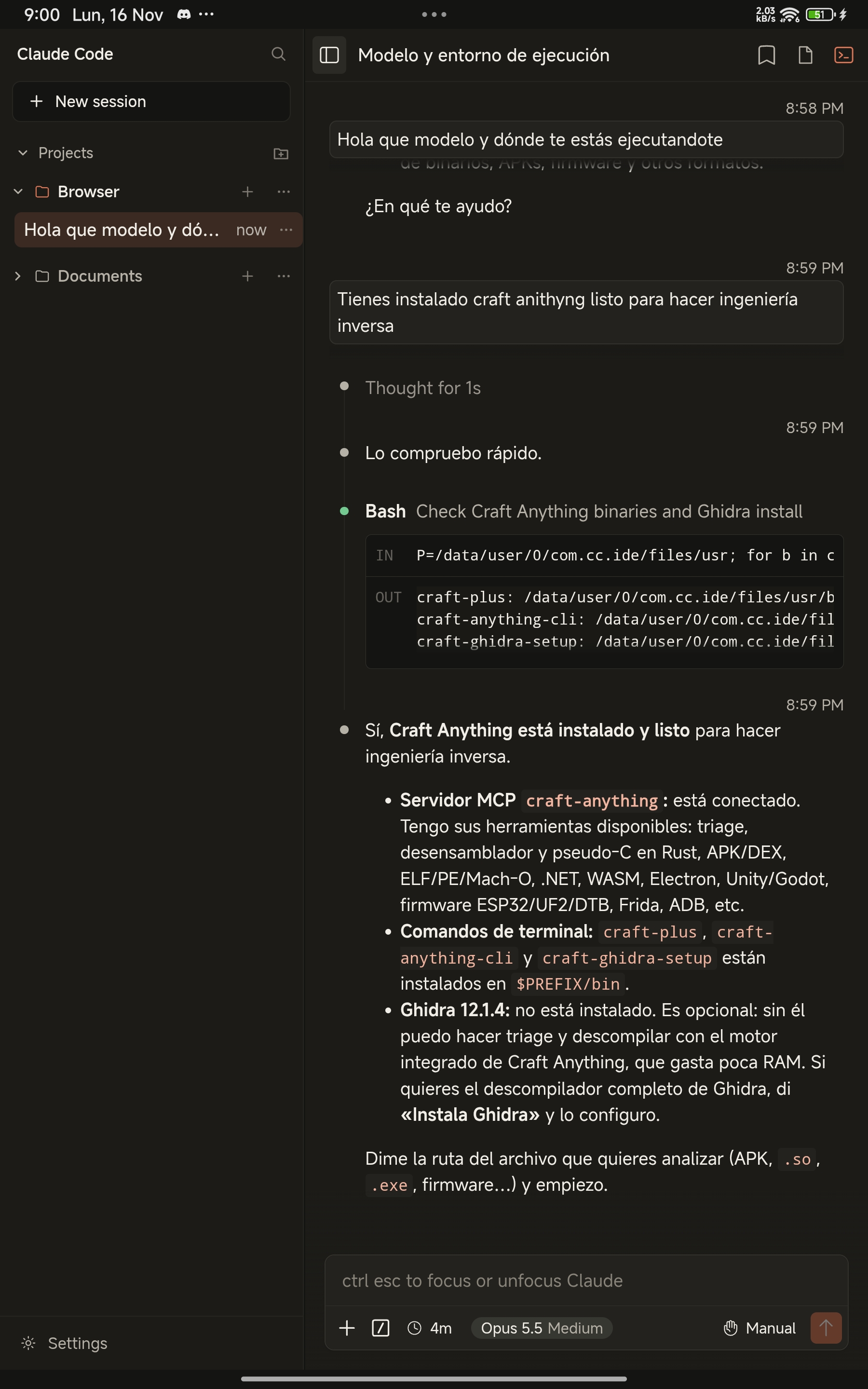
Responsive multi-project workspace sidebar with per-directory conversation history.
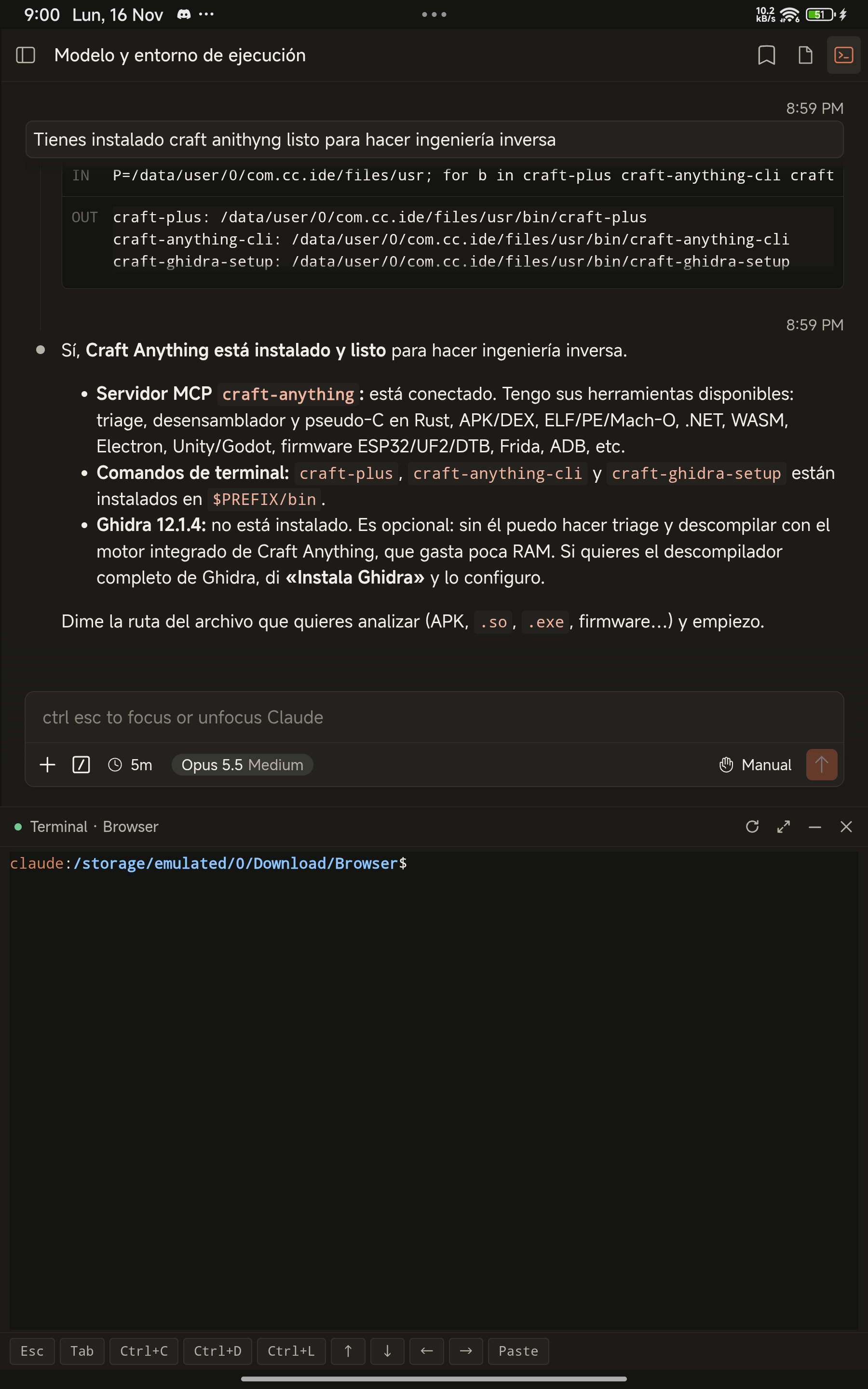
Docked xterm.js PTY terminal backed by Bionic bash and touch modifier keys.
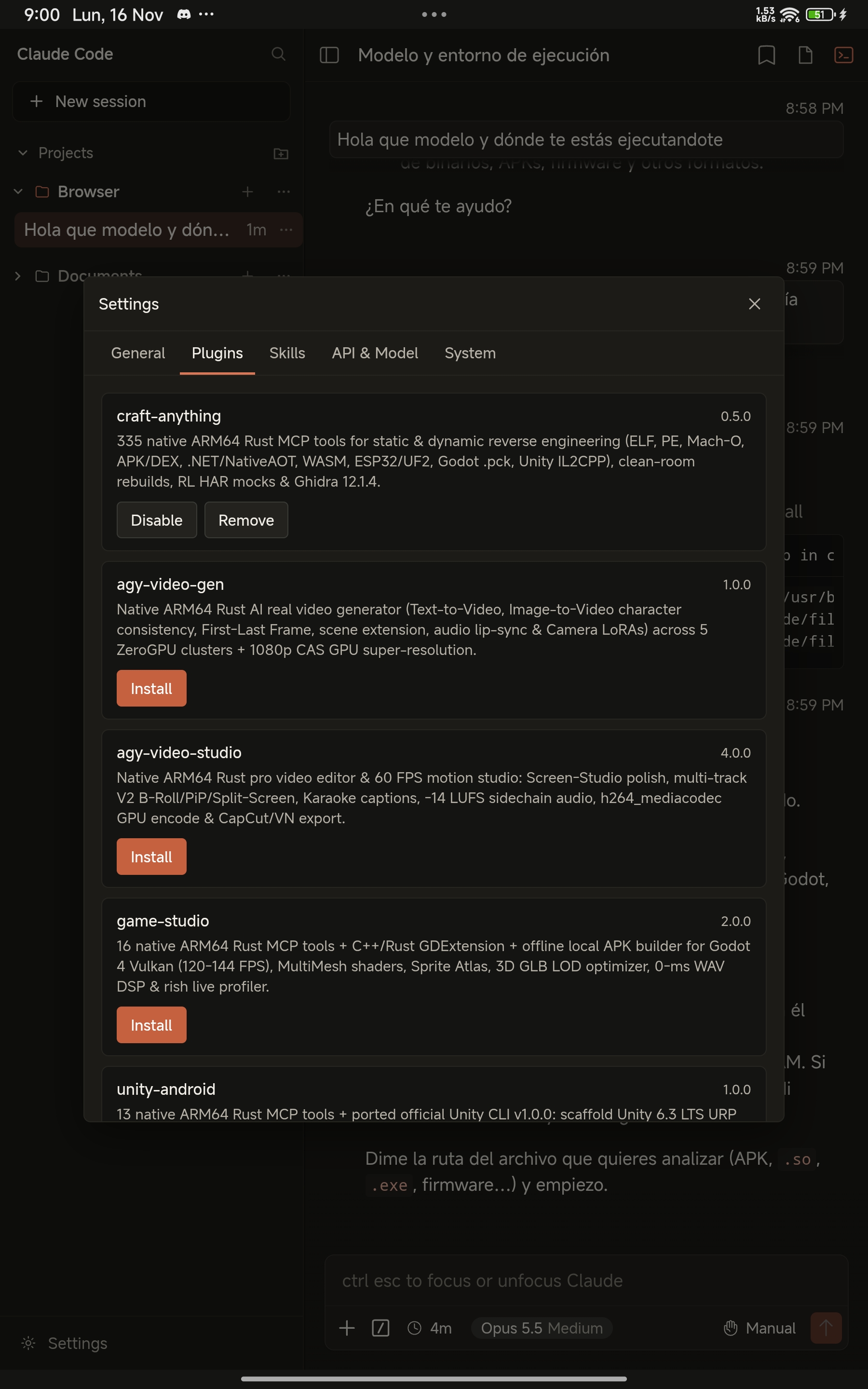
1-tap native ARM64 Rust MCP plugins marketplace inside Settings → Plugins.
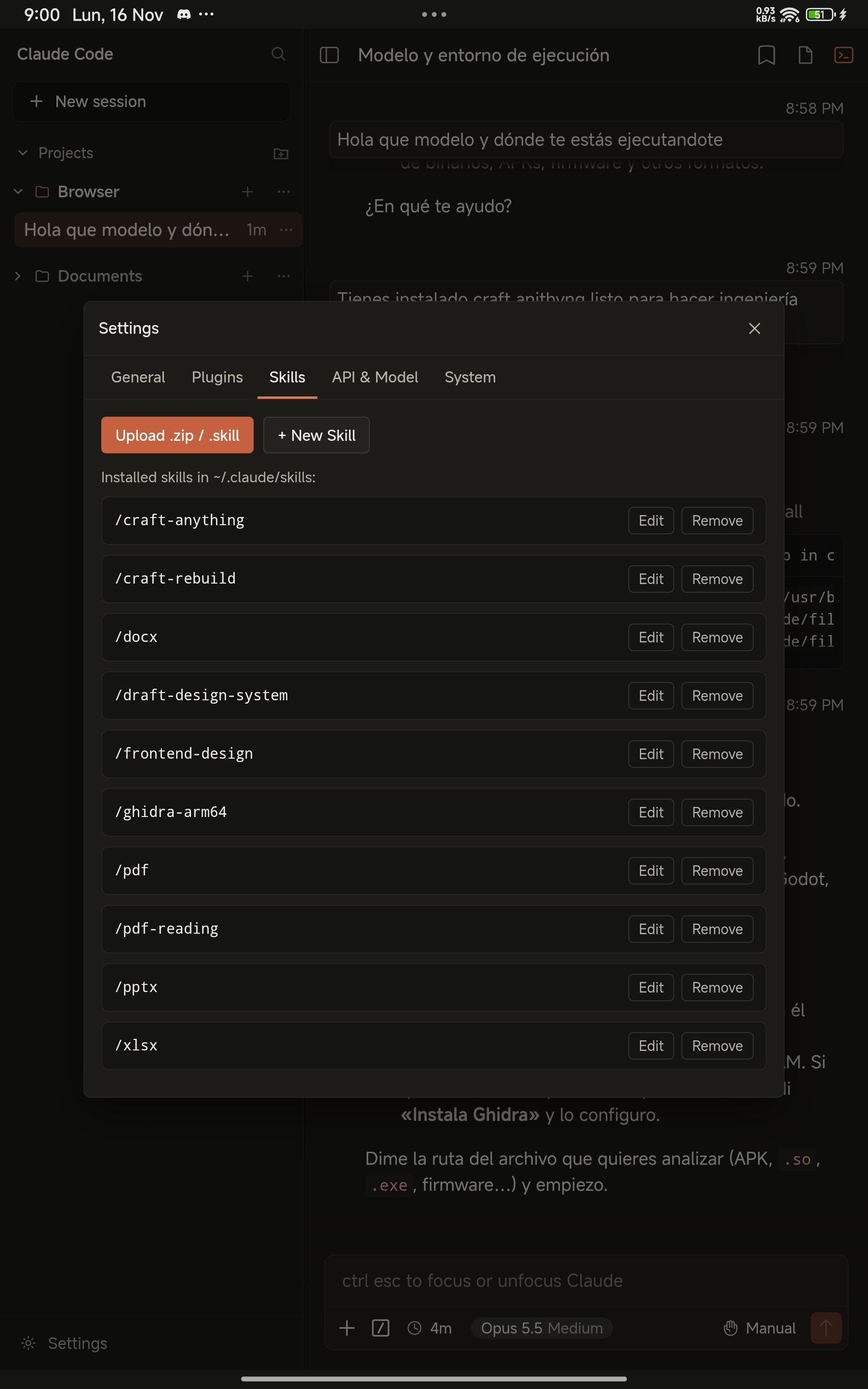
Installed official Anthropic document/design skills and custom .skill package manager.
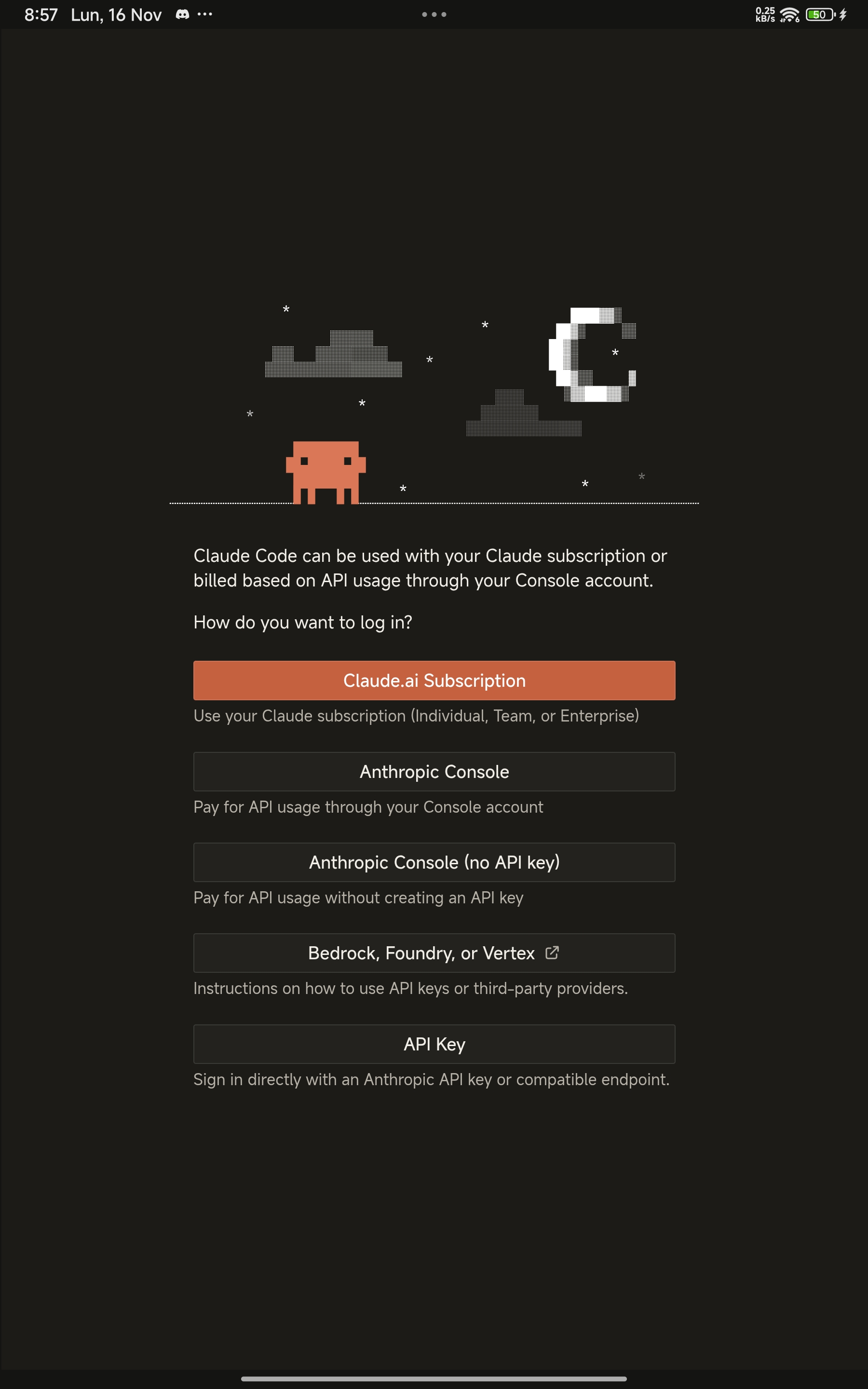
Official Claude Code sign-in screen supporting Claude.ai OAuth and Keystore-encrypted API keys.
1-tap ARM64 MCP plugins & skills ecosystem
Manage compiled Android ARM64 Rust MCP servers in Settings → Plugins (synced automatically into ~/.claude/.claude.json) and custom skill bundles in Settings → Skills.
| Plugin | Version | Capabilities on Android ARM64 |
|---|---|---|
| Craft Anything + Ghidra | v0.5.0 |
335 native Rust MCP tools (< 50 MB RAM) for ELF/PE/Mach-O, APK/DEX, .NET/NativeAOT, WASM, ESP32/UF2, Godot .pck, Unity IL2CPP & Wii .dol + native ARM64 Ghidra 12.1.4 |
| AGY Video Gen & Video Studio | v1.0 / v4.0 |
Native Rust AI video generation (Text/Image-to-Video, Lip-Sync, GPU upscale) + 60 FPS h264_mediacodec GPU editor with Karaoke captions & -14 LUFS mastering |
| Game Studio 2D/3D (Godot 4) | v2.0.0 |
16 Rust MCP tools + ARM64 C++/Rust GDExtension compiler + 100% local offline signed .apk builder & 120–144 FPS Vulkan profiler |
| Unity Studio Android | v1.0.0 |
13 Rust MCP tools + ported unity-cli v1.0.0 for Unity 6.3 LTS URP 2D/3D scaffolding, YAML/.meta auditing & $0 GameCI builds |
| AGY ADB Bridge | v1.0.1 |
Standalone Rust wireless ADB 6-digit pairing (127.0.0.1:5555 offline TCP — no external Shizuku app required) + 2s Shizuku fallback |
| GitHub MCP & Chrome DevTools | v2.1.1+ |
91 native ARM64 GitHub tools + Bionic Git/GH OAuth setup + headless ARM64 Chromium DevTools automation |
Frequently asked questions
Does Claude Code for Android require Root, Termux, or PRoot?
No. It runs 100% natively in Android userspace inside its own standalone sandbox (com.cc.ide) with zero Termux dependency and zero PRoot syscall translation overhead.
How are my credentials protected?
Claude.ai OAuth tokens stay strictly inside the app's private 0600 sandbox, and custom API keys entered in Settings → API & Model are encrypted with hardware-backed AndroidKeyStore AES-256-GCM (SecretStore) and injected only into memory.
How do elevated uid=2000(shell) ADB commands work?
Nothing elevated is active by default. Whenever you need ADB-level shell access, open Settings → Plugins, install AGY ADB Bridge, and pair once using Android's 6-digit Wireless Debugging code (or authorize via Shizuku).